Why Cloud-Based On-Hold Messaging Beats Legacy PBX (and How to Modernize Fast)
Cloud-based on-hold messaging updates instantly across sites, boosts consistency, and reduces risk vs legacy PBX. Learn migration tips and quick wins.
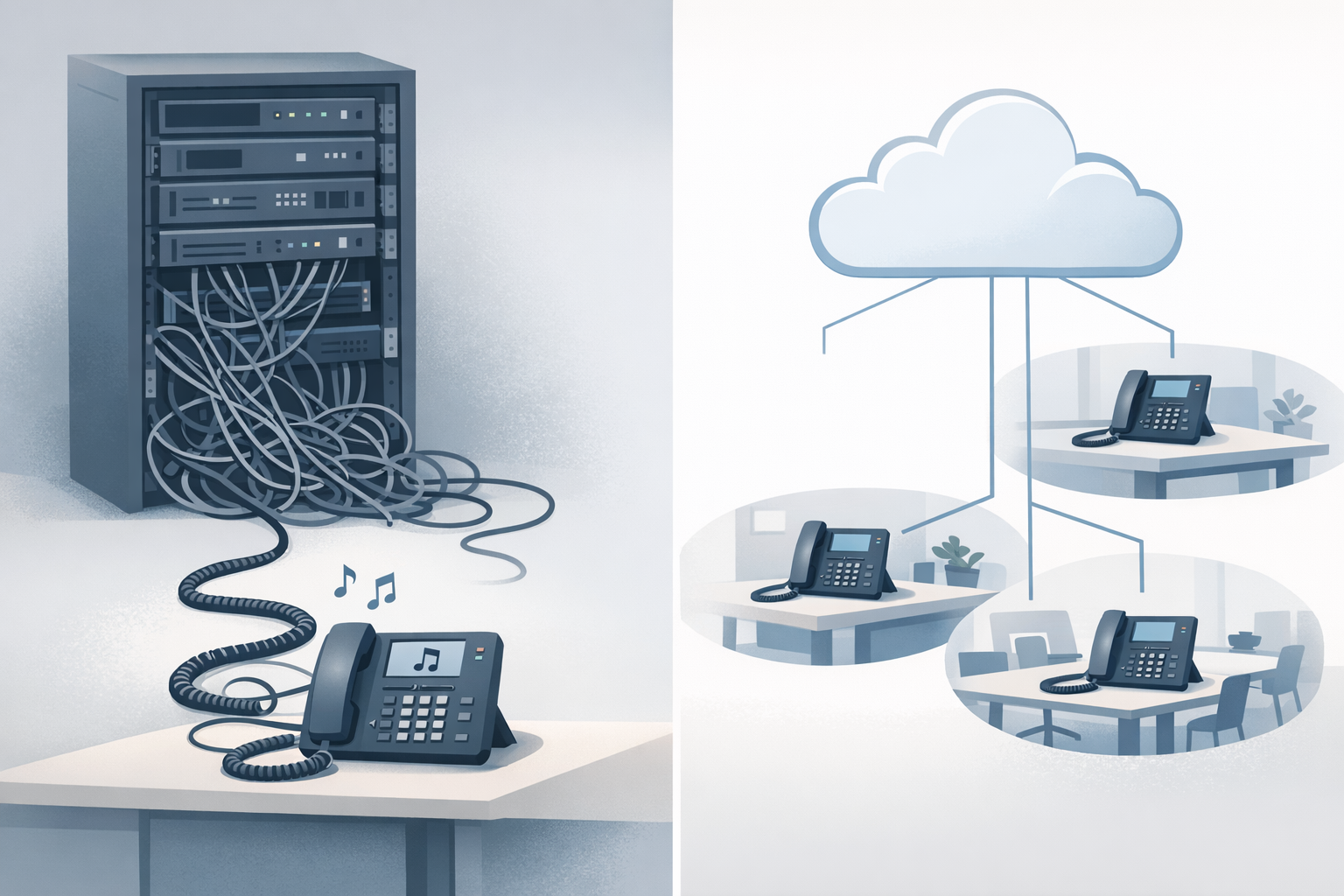
Waiting on hold is inevitable. Wasting that time (with silence, outdated info, or inconsistent messaging across locations) isn’t.
For operations and IT leaders, on-hold messaging is a small surface area that touches big outcomes: fewer hang-ups, fewer repeat questions, smoother routing, and a more credible customer experience.
Below is a practical, IT-friendly breakdown of why cloud-based on-hold systems typically outperform legacy PBX setups—and how to modernize without turning it into a telecom project that never ends.
What ops and IT leaders are really trying to solve with on-hold messaging
The hidden cost: hang-ups, repeats, and misroutes
When callers don’t know what’s happening, they do predictable things:
- Hang up and try again later (or try a competitor)
- Hit “0” repeatedly to reach a human
- Choose the wrong IVR option because they’re guessing
If you’re tackling call abandonment and overall customer experience, your hold experience is a lever you can pull quickly.
Why the “hold experience” is part of your customer experience system
Think of on-hold messaging as the “in-between layer” of your phone system:
- It fills dead air
- It sets expectations (“next available agent,” “call volume is high,” “have your account number ready”)
- It routes demand (“for refills, use the patient portal”)—without changing the IVR tree
If you want a deeper baseline on structure and examples, start with our pillar guide: on-hold messaging for small businesses: a practical starter guide.
Legacy PBX vs cloud: where on-hold messaging breaks first
Update speed: tickets, after-hours changes, and seasonal promos
Legacy PBX workflows often look like:
1) Someone requests a change
2) IT schedules time (or a vendor ticket)
3) A file gets uploaded to a specific box (sometimes per-site)
4) Nobody is sure which version is live
Cloud-based approaches typically centralize updates so you can change messaging quickly—especially helpful for:
- Weather closures
- Service outages
- Holiday hours
- Short-term promotions
Multi-location consistency and brand control
In multi-site environments, legacy PBX setups frequently drift:
- Site A has the “new” message
- Site B has last year’s holiday hours
- Site C has music only (or worse, silence)
Cloud management makes it easier to enforce a single source of truth while still allowing local inserts when needed.
Reliability and single points of failure
Legacy systems can be stable—until they aren’t. The issue isn’t just uptime; it’s operational brittleness:
- The one admin who remembers the PBX UI is out
- The audio file is on a retired laptop
- The vendor lead time is days
Cloud-based tooling reduces dependency on one person and one box.
Why cloud-based on-hold messaging is easier to govern (not just easier to change)
Central ownership with local flexibility
A good governance model is simple:
- Marketing/ops owns the script and offers
- IT owns the implementation guardrails (formats, injection points, testing)
- Locations can request updates, but not create random versions
Auditability: what changed, when, and why
Even if you don’t need formal change management, you do need answers to:
- “What’s playing right now?”
- “When did we change it?”
- “Why are callers hearing the wrong hours?”
Cloud workflows tend to make this easier than “upload to PBX and hope.”
Compliance and “required” messaging (hours, disclosures, service alerts)
Depending on your industry, you may need consistent disclosures or service notices. Also, regulators care about how calls are handled and abandoned in certain contexts (see FCC guidance on telemarketing and abandoned calls: FCC rules on telemarketing).
AI voice + smart rotations: how modern systems improve outcomes
Fresh messaging without extra work
Modern tools can help you generate scripts and rotate messages so callers don’t hear the same 12-second loop forever.
That matters because repetition increases perceived wait time. If you want the behavioral angle, see: the psychology of waiting: how AI reduces perceived hold time.
Better message-to-moment matching (service, billing, scheduling)
Instead of one generic message, rotate through:
- Self-serve options (portal, scheduling link, SMS)
- “Have this ready” prompts (invoice number, vehicle VIN, policy ID)
- Routing cues (“for cancellations, press 2”) that reinforce your IVR
Reducing perceived hold time with structure and variety
A simple pattern works well:
- 1 short reassurance message
- 1 helpful “next step” message
- 1 brand/value message
- Repeat with variation
Silence is the worst default. If you need ammunition for internal buy-in, share: why silence is the silent killer of customer retention.
Migration considerations IT will ask about (and how to answer them)
Where music-on-hold is injected: PBX, gateway, SBC, or carrier
Before you change anything, identify the MOH injection point:
- On-prem PBX (local file upload)
- VoIP gateway/SBC
- Hosted/cloud PBX admin portal
- Carrier-managed MOH
This determines whether you need a WAV vs MP3, a specific sample rate, or a particular upload workflow.
SIP/VoIP basics: codecs, sampling, and file formats
Audio compatibility issues are common during transitions. Two codecs you’ll see often:
- G.711 (narrowband): ITU-T G.711
- G.722 (wideband): ITU-T G.722
Practical takeaway: keep a “known good” WAV and test from multiple endpoints (desk phone + softphone + mobile) before rolling out.
Operational rollout: change windows, testing, and rollback
Use a lightweight change plan:
- Pick a low-risk window
- Test in one queue/DID first
- Confirm what external callers hear (not just internal transfers)
- Keep the prior audio file as a rollback
For security and access governance as you modernize admin workflows, use a neutral framework like the NIST Cybersecurity Framework to guide vendor and access decisions.
Mini scenario (illustrative): a 3-location clinic modernizes in one afternoon
Illustrative example (not a customer case study):
Before: inconsistent messages and constant requests
A clinic has three sites. Each has a different PBX admin. One site mentions the new patient portal; the other two don’t. Calls spike on Mondays, and front desk staff repeats the same info all day.
After: one source of truth with rotating updates
They standardize on a single set of on-hold messages:
- Portal and refill instructions
- Hours and holiday updates
- “Have your insurance card ready” prompt
They rotate messages so frequent callers don’t hear the same loop—and updates take minutes instead of tickets.
Common mistakes to avoid when modernizing on-hold messaging
Silence, random playlists, and “set it and forget it”
- Silence increases uncertainty.
- Random music creates brand whiplash.
- Stale messages train callers to ignore you.
Overloading callers with long promos
Keep messages short and useful. If you have multiple offers, rotate them.
Not aligning hold messages to IVR options and routing
On-hold content should reinforce the phone tree, not contradict it. If your IVR is confusing, fix that too: transforming your phone tree from a maze to a map.
A practical 30-minute checklist to improve your hold experience this week
Script, voice, music, and rotation plan
Do this next:
1) List your top 5 caller questions (hours, scheduling, billing, directions, status)
2) Write 6–10 short messages (10–20 seconds each)
3) Add 1 “expectations” message (reassurance + next step)
4) Rotate messages so repeat callers hear variety
5) Review quarterly (or whenever hours/services change)
Implementation notes for common phone system setups
- Confirm MOH injection point (PBX vs cloud portal vs carrier)
- Export both MP3 and WAV so you have options
- Test from outside the building (mobile network)
If you want the fastest path: create a script, pick a professional voice and matched background music, and download ready-to-upload files.
Try OnHoldToGo to generate professional on-hold audio in minutes—then upload it to your business phone system as MP3 or WAV: OnHoldToGo (see pricing if you’re evaluating options).